

The new Priority Pass+ mobile app has just launched, which has some interesting features.

The user interface has obviously had a bit of a makeover, but the really useful part is the new functionality.
The first new feature is the ability to create a trip, making it much quicker to see the lounge options at each airport without having to search for them manually.
The second one is even more useful: you can now add multiple Priority Pass memberships to the same account.
This is something I personally find extremely useful. If you’re a serious points and miles enthusiast, having multiple Priority Pass memberships is perfectly normal. I did a quick count and I currently have four Priority Pass memberships, one LoungeKey and one DragonPass.
Each of my Priority Pass memberships has its own advantages and disadvantages. For example:
- US Amex Platinum: can bring two guests
- UK Amex Platinum: can bring one guest, and includes pre-book credits for UK lounges
- UK HSBC Premier World Elite: no guest access, but includes non-lounge experiences
So depending on the situation, I previously had to log out and back into a different account to use the appropriate membership. And I might have to try a couple of times before logging in to the correct account.
Priority Pass+ finally solves this problem by allowing multiple memberships to be imported into the same app:
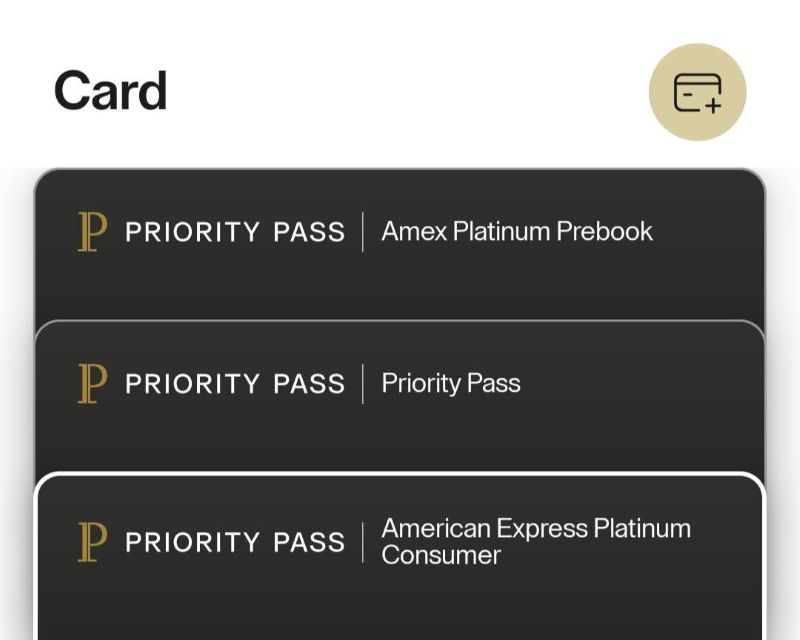
You can simply switch to whichever membership you need without having to change accounts. Very convenient.
There do seem to be a few bugs during the rollout, though. I tried importing my HSBC Priority Pass, but it kept throwing up an error. So if you can’t get all your memberships added just yet, it may be worth trying again later.






Recent Comments